Nano Banana 2.1 vs Nano Banana 2 vs Pro: test method
- We used Opus55Vid's relay options. The cup prompt was identical across all three models; the poster, product, infographic and bookshop prompts were identical across 2.1 and Pro only.
- Each output came from one generation for that model and prompt. All eleven are 1024 × 1024 JPEGs from text-to-image calls, without uploaded references or editing. Complete prompts accompany the images.
- We checked wording, object counts, positions and explicit constraints before visual preference. A pleasant image can still misplace a footer or crop a prop. We report successes and misses.
Which models do these names describe?
Nano Banana 2.1
Google describes Nano Banana 2.1 as an efficiency-focused update with improved text rendering, visual quality and conversational editing. That is official positioning, not our relay speed measurement. Google documentation.
30 credits per image · 1:1
Nano Banana 2
Nano Banana 2 is Google's Gemini 3.1 Flash Image, now deprecated according to Google's release notes. We have its cup output, but not its outputs for the remaining tasks. Google documentation.
30 credits per image · 1:1
Nano Banana Pro
Nano Banana Pro is Google's Gemini 3 Pro Image, positioned for complex design, product mockups and text-bearing visualizations. These examples do not test its editing or grounding features. Google documentation.
30 credits per image · 1:1
Blue cup: three models, one open-ended prompt
Full prompt: A simple blue ceramic cup on a plain white background. No text.
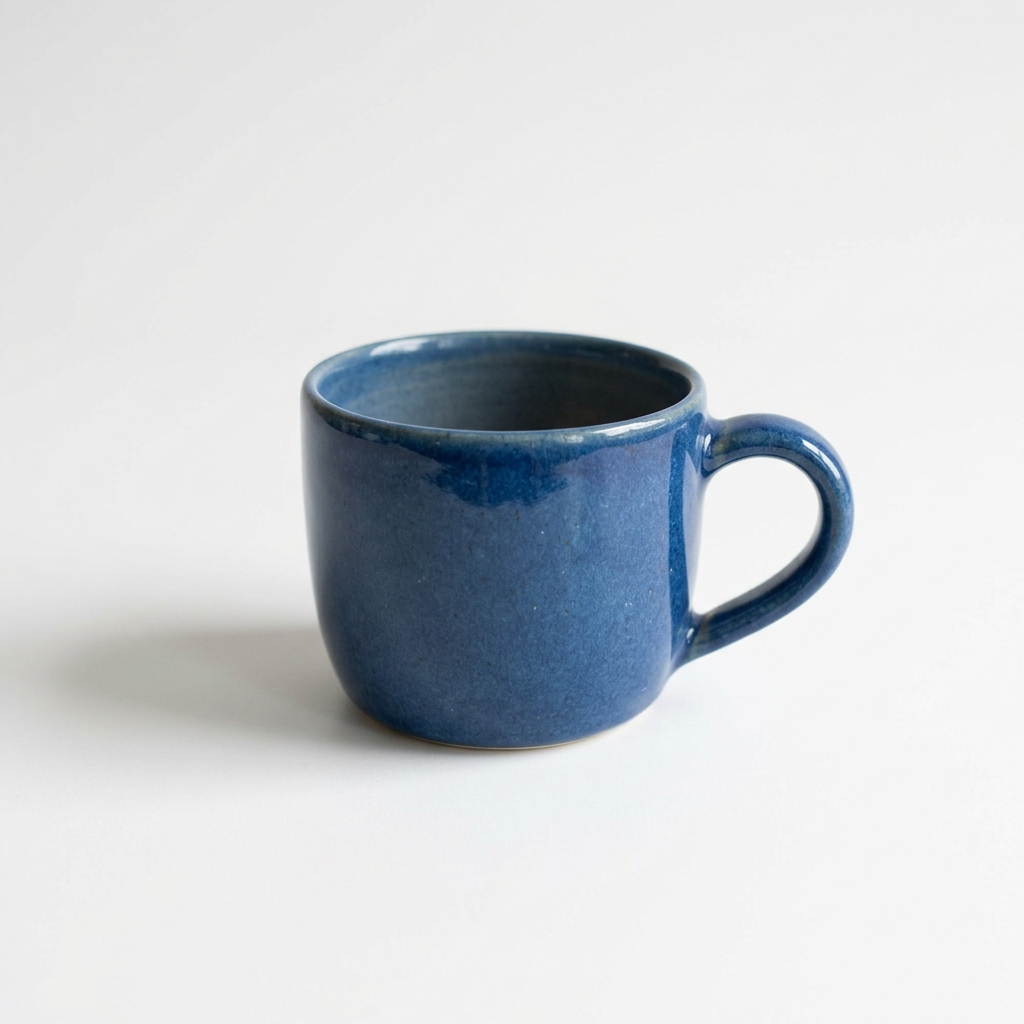
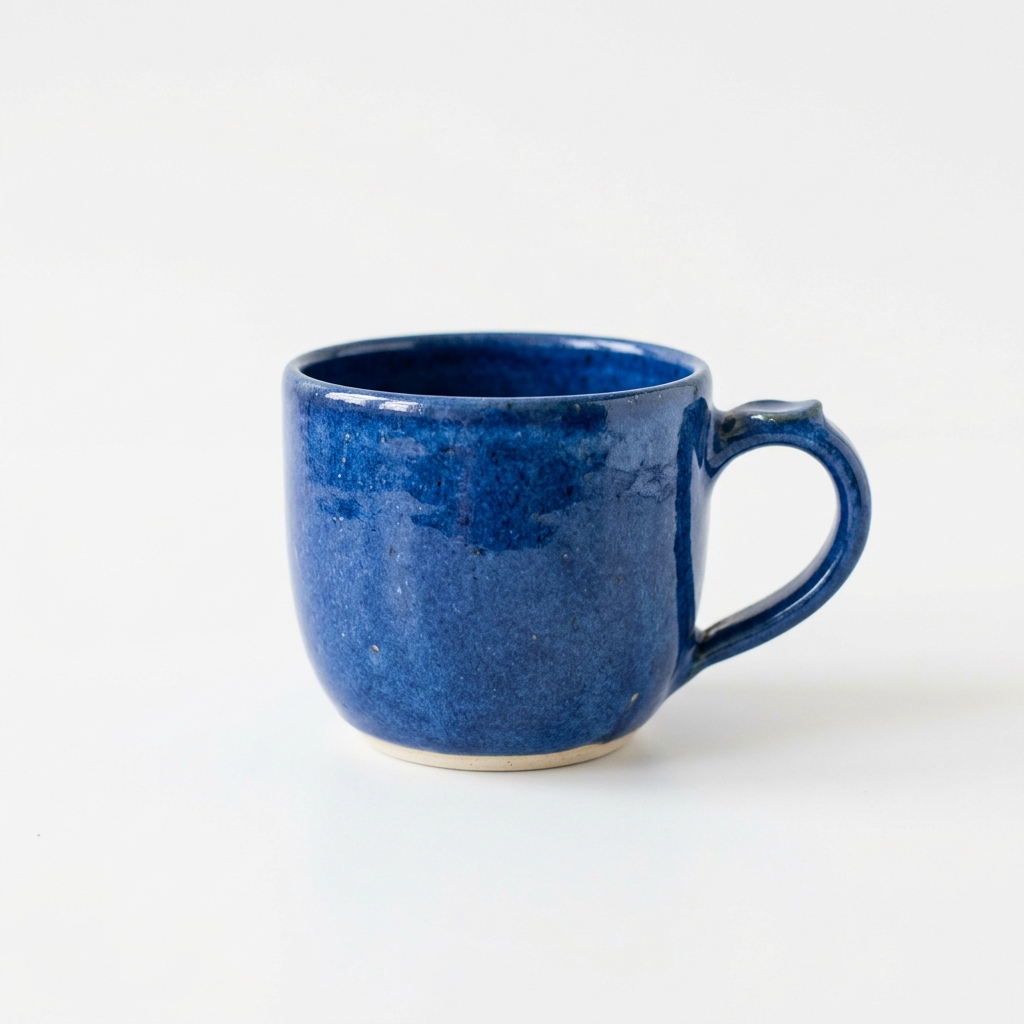
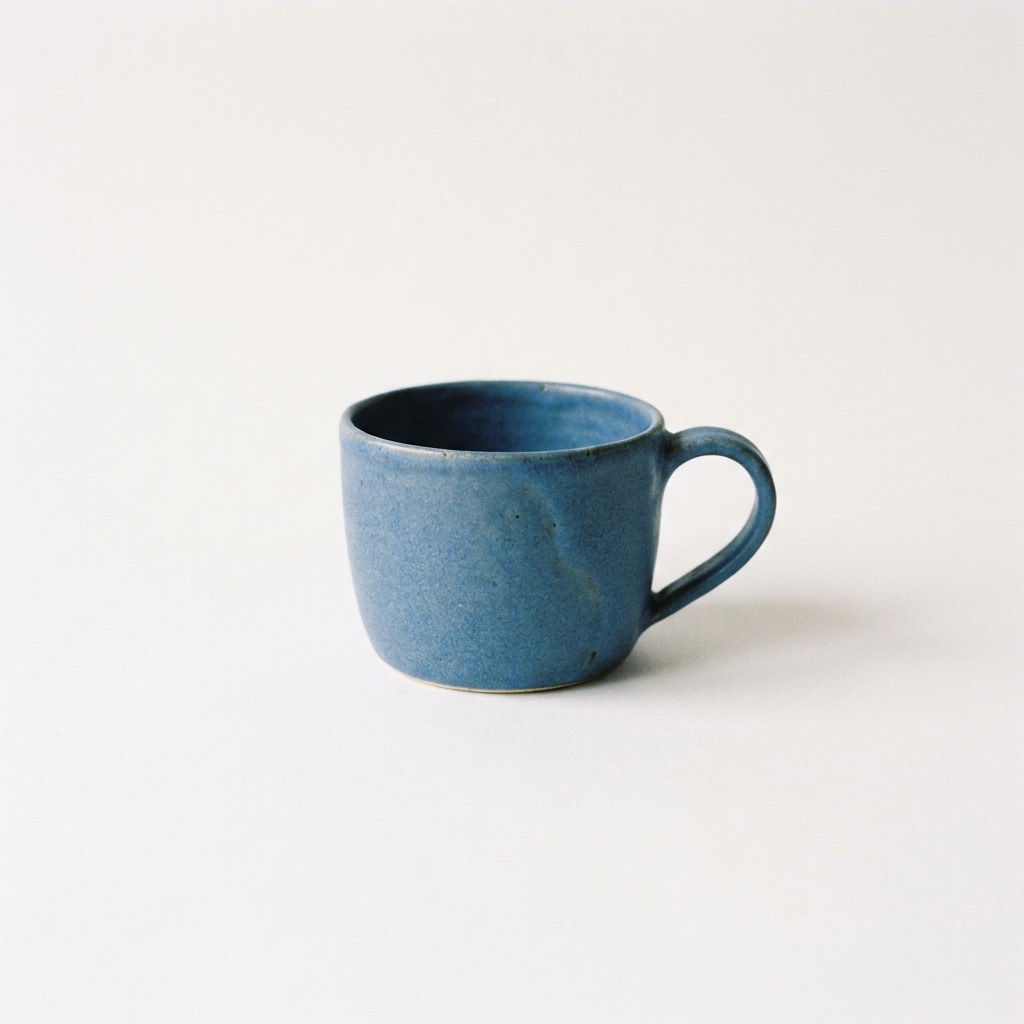
- All three show one blue cup with a right-side handle and no lettering. Both 2.1 and Nano Banana 2 use glossy, mottled glaze; Nano Banana 2 exposes a pale base rim.
- Pro's cup occupies less of the frame, with a quieter blue surface. The wider 2.1 cup has more glaze variation. The brief left those choices open.
All three meet the basic brief. Choose your preferred surface and proportions, or specify them next time. This is our only three-model comparison.
Compare Pro and 2.1 with this prompt →Plant-market poster: readable words, different hierarchy
Full prompt: Create a square editorial poster for an imaginary neighborhood plant market. Use an ivory paper background, dark forest-green typography, and a detailed illustration of a terracotta pot containing a fern in the lower half. Render exactly these three lines of text, with no additional words: "GROW SOMETHING GOOD" as the large centered headline at the top, "Neighborhood Plant Market" as a smaller subheading, and "Saturday · 10 AM–4 PM" as a small footer. Keep generous margins and clear spacing between the text and the fern. All letters must be legible; no logos, watermarks or decorative pseudo-text.
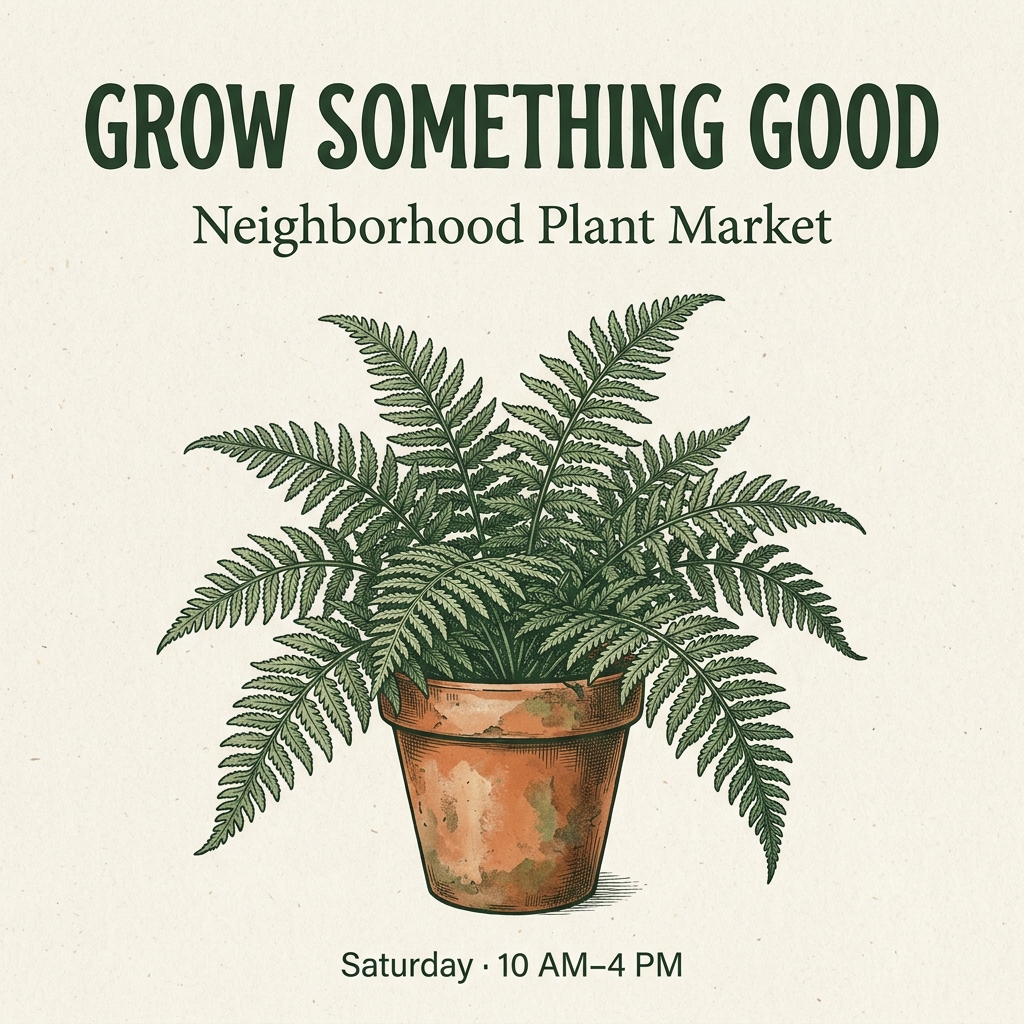
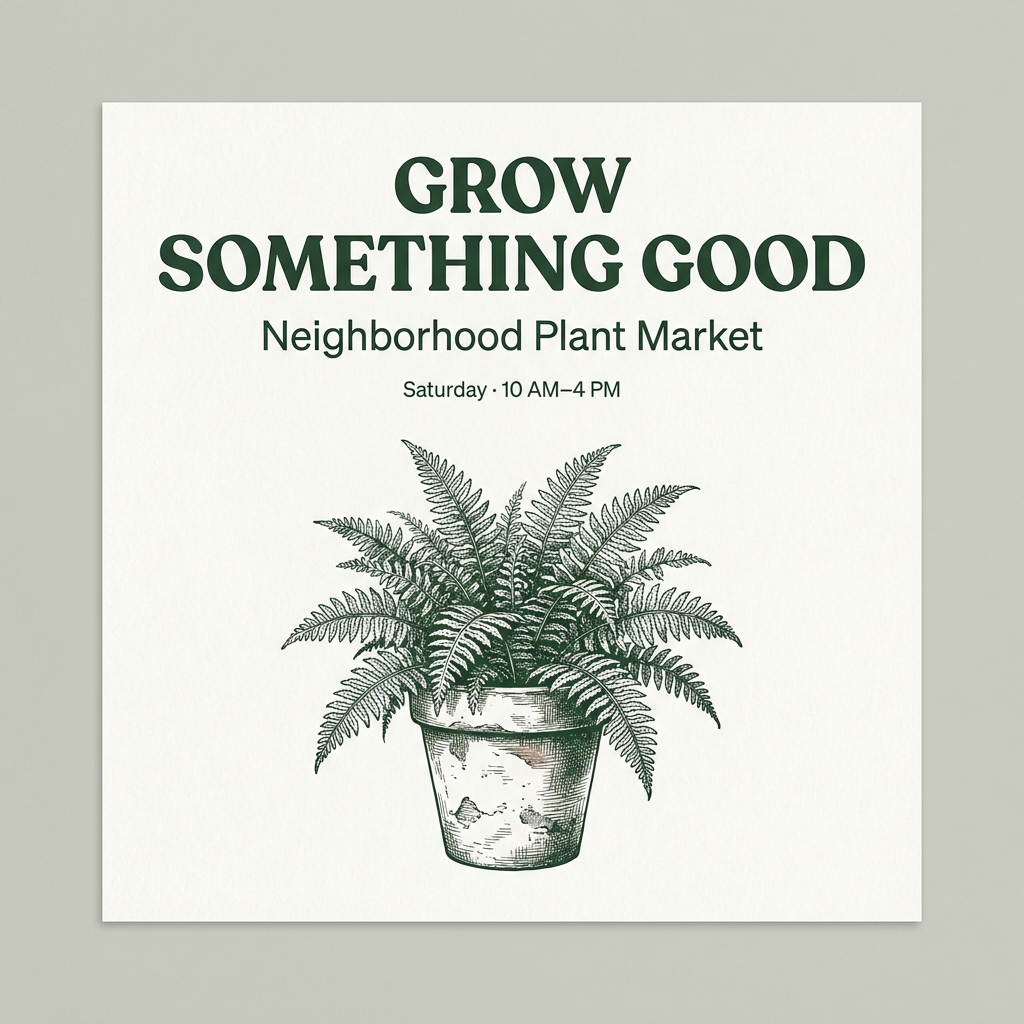
- Both render the requested words readably. The 2.1 headline stays on one line, its event line sits at the bottom, and its orange-brown pot follows the terracotta request. A large fern fills much of the center.
- Pro splits the headline across two lines and puts the event line above the fern. Its pot is pale, and the artwork appears as a sheet against a background. Those details depart from the brief.
For this exact layout, 2.1 follows the pot color and footer placement more closely. Pro offers another composition, but correct spelling alone does not make the two outputs equally faithful to the prompt.
Compare Pro and 2.1 with this prompt →Product scene: the props are present, the napkin is cropped
Full prompt: Create a square studio product photograph of one unbranded matte cobalt-blue ceramic mug. The mug has one rounded handle on its right side and sits on a pale limestone cube. Place one whole lemon to the left of the cube and a folded beige linen napkin in front of it. Use a warm off-white seamless background, soft window light from the upper left, a subtle shadow to the lower right, realistic ceramic texture and crisp edges. Show the entire mug and all three props without cropping. No text, logos, people, extra mugs or floating objects.
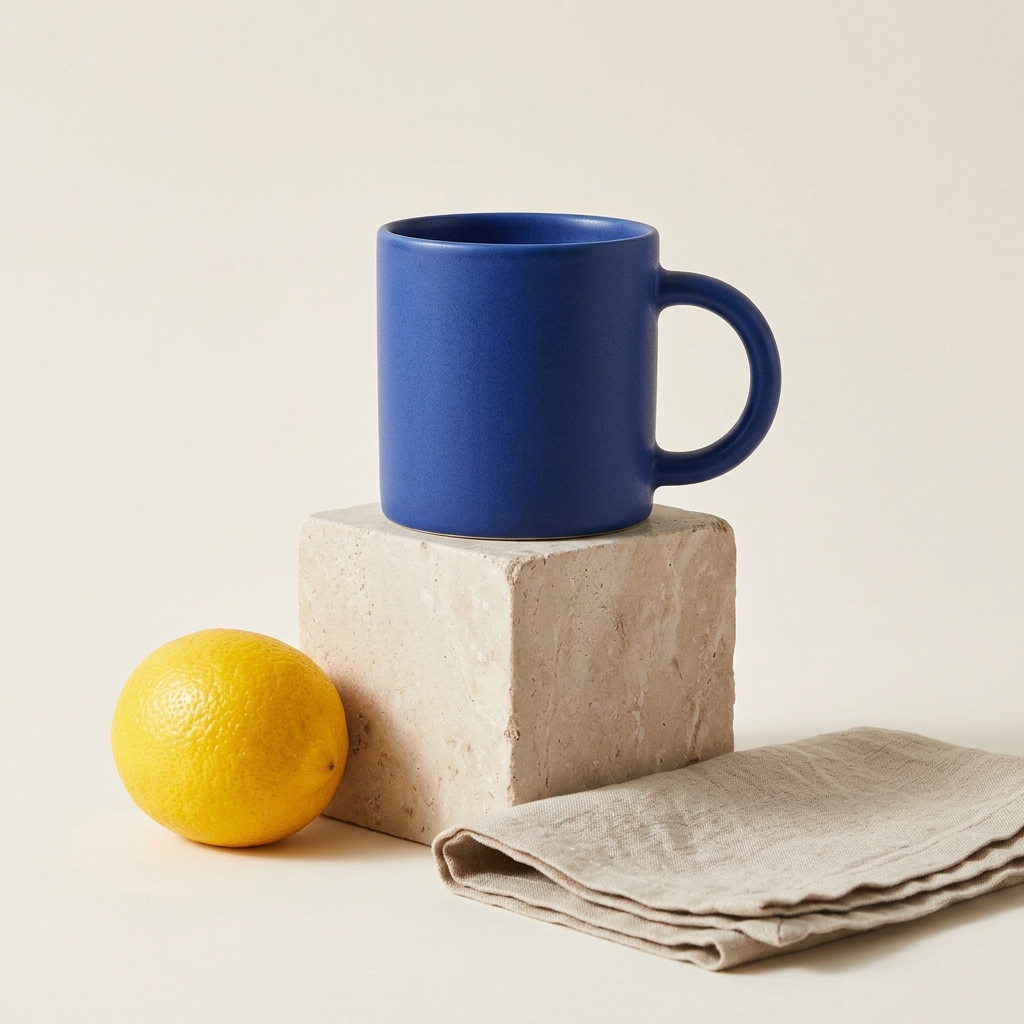
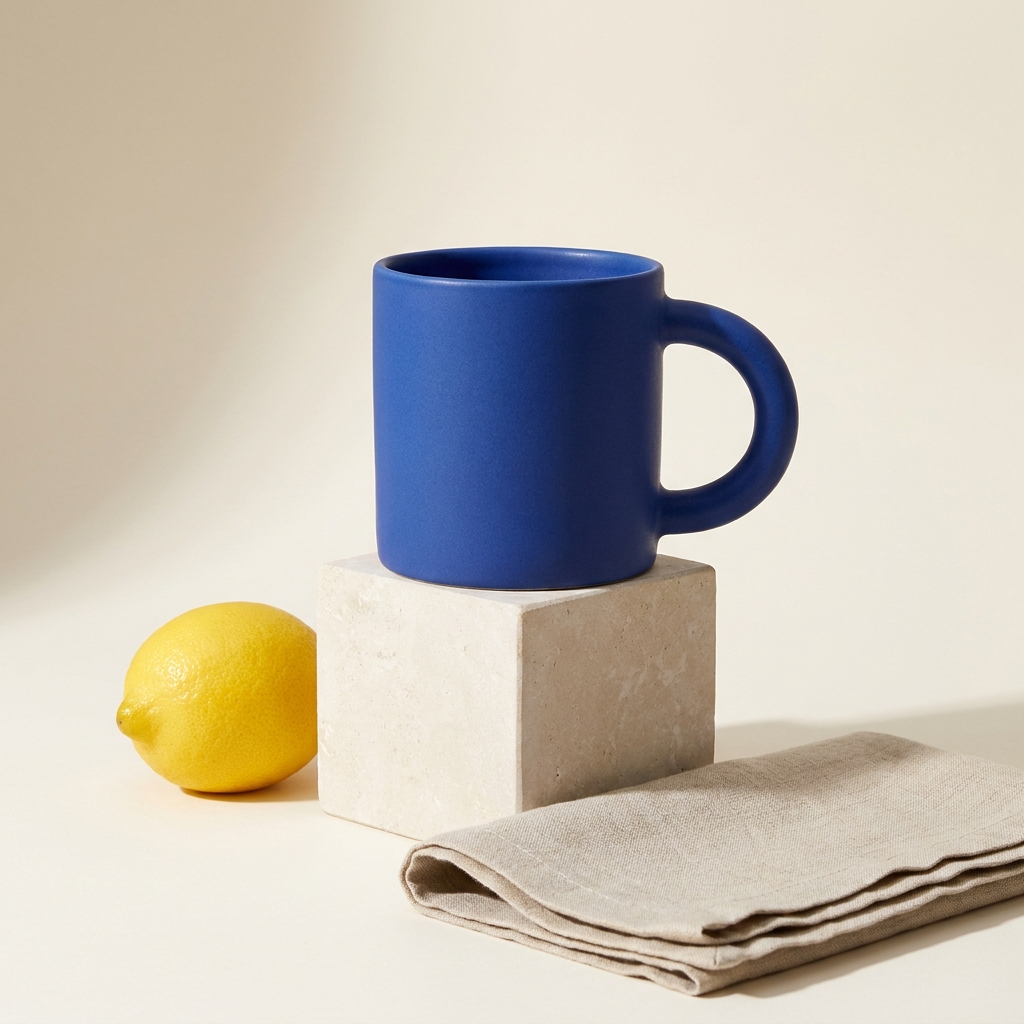
- Both 2.1 and Pro include the blue mug, right-side handle, limestone block, left-side lemon and foreground linen. Both give the mug a matte surface, with an off-white studio setting and visible material texture.
- The napkin extends through the right image edge in both outputs, so neither completely satisfies the no-cropping instruction. Pro's mug appears larger relative to its block; 2.1 leaves more of the block's textured front visible.
Keep either as a visual draft, but rerun or adjust the framing if every prop must be fully visible. Check the edges before selecting an image for an advertisement or product layout.
Compare Pro and 2.1 with this prompt →Seed infographic: count the panels, then inspect the roots
Full prompt: Create a square flat-vector infographic on a white background titled exactly "HOW A SEED GROWS". Beneath the title, arrange exactly four equally sized panels from left to right, connected by three arrows pointing right. Label the panels exactly "1. Seed", "2. Root", "3. Shoot", and "4. Leaves". Show a seed in brown soil in panel one, a seed with one downward root in panel two, a green shoot emerging above the soil in panel three, and a small plant with two green leaves in panel four. Use a consistent soil line, simple shapes, dark charcoal text and green accents. Include no other words, numbers or panels.
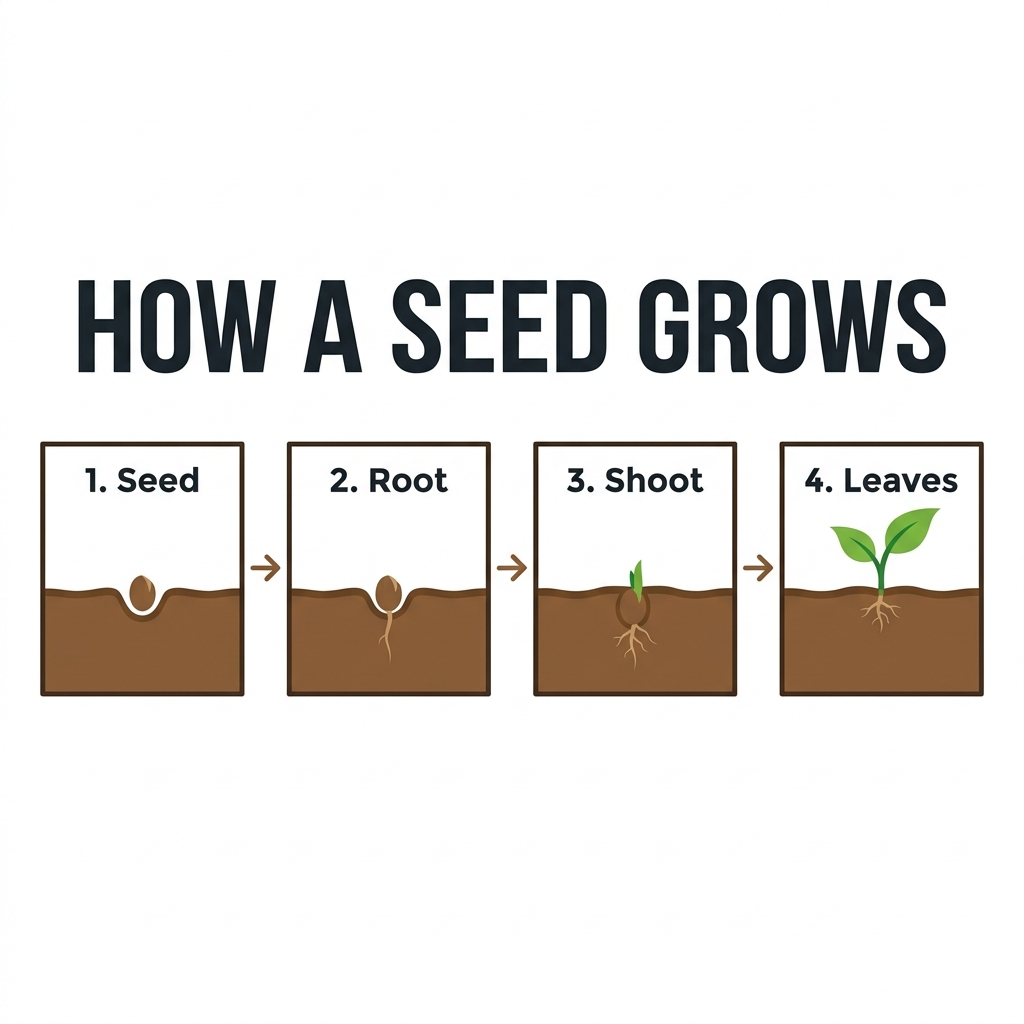
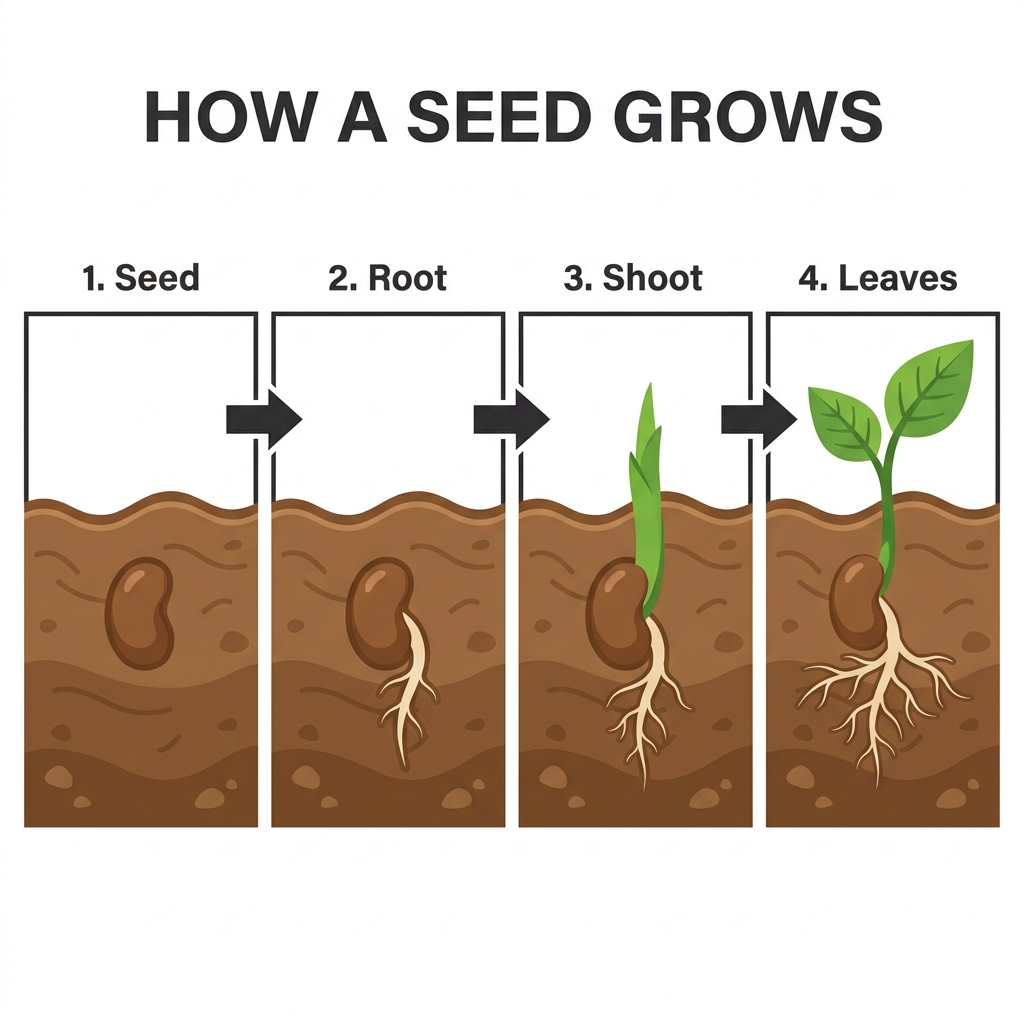
- Both outputs contain the title, all four numbered labels and three connecting arrows in the requested order. The 2.1 version uses smaller illustrations with labels inside the panels; Pro uses larger plants and labels above them.
- Pro draws a visibly branching root system in the second panel, despite the single-root instruction. The 2.1 root is much smaller and simpler, although fine branching is still visible. Neither should be treated as a scientifically checked diagram merely because the labels are readable.
Choose by readability at the intended display size, then review the diagram itself. The 2.1 version is closer to the restrained root illustration requested; Pro makes the growth stages more prominent.
Compare Pro and 2.1 with this prompt →Bookshop scene: similar objects, different camera positions
Full prompt: Create a square cinematic illustration of a quiet riverside bookshop at blue hour, viewed from the opposite side of a narrow street. The shop has exactly three tall front windows and one red door on the far right. A yellow bicycle leans against the wall to the left of the door. In the foreground, place a wooden bench with one closed green book on its left end and one sleeping orange cat on its right end. A single pedestrian carrying a transparent umbrella stands between the bench and the shop. Warm light glows through the windows and reflects on wet cobblestones; the river and a small stone bridge are visible on the far left. Preserve believable perspective and distinct objects. No signs, lettering, logos or additional people.
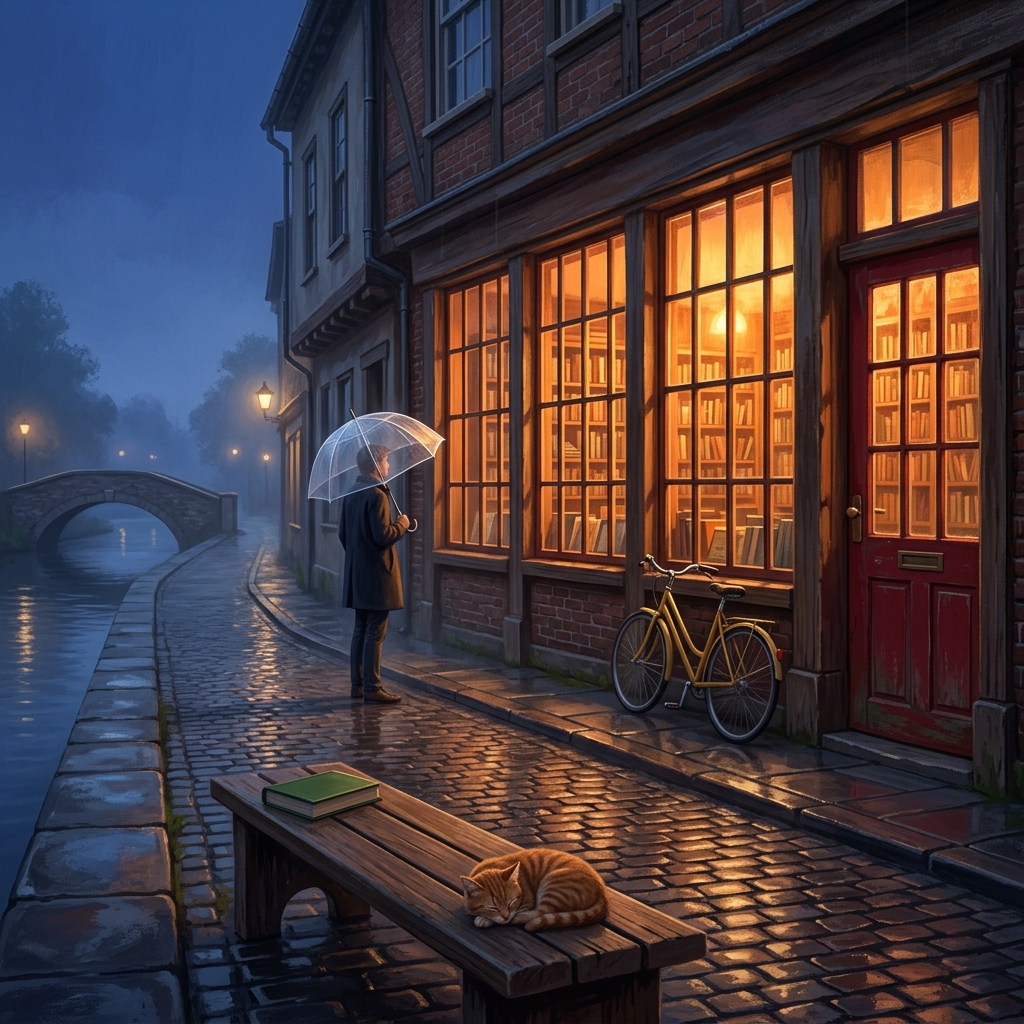
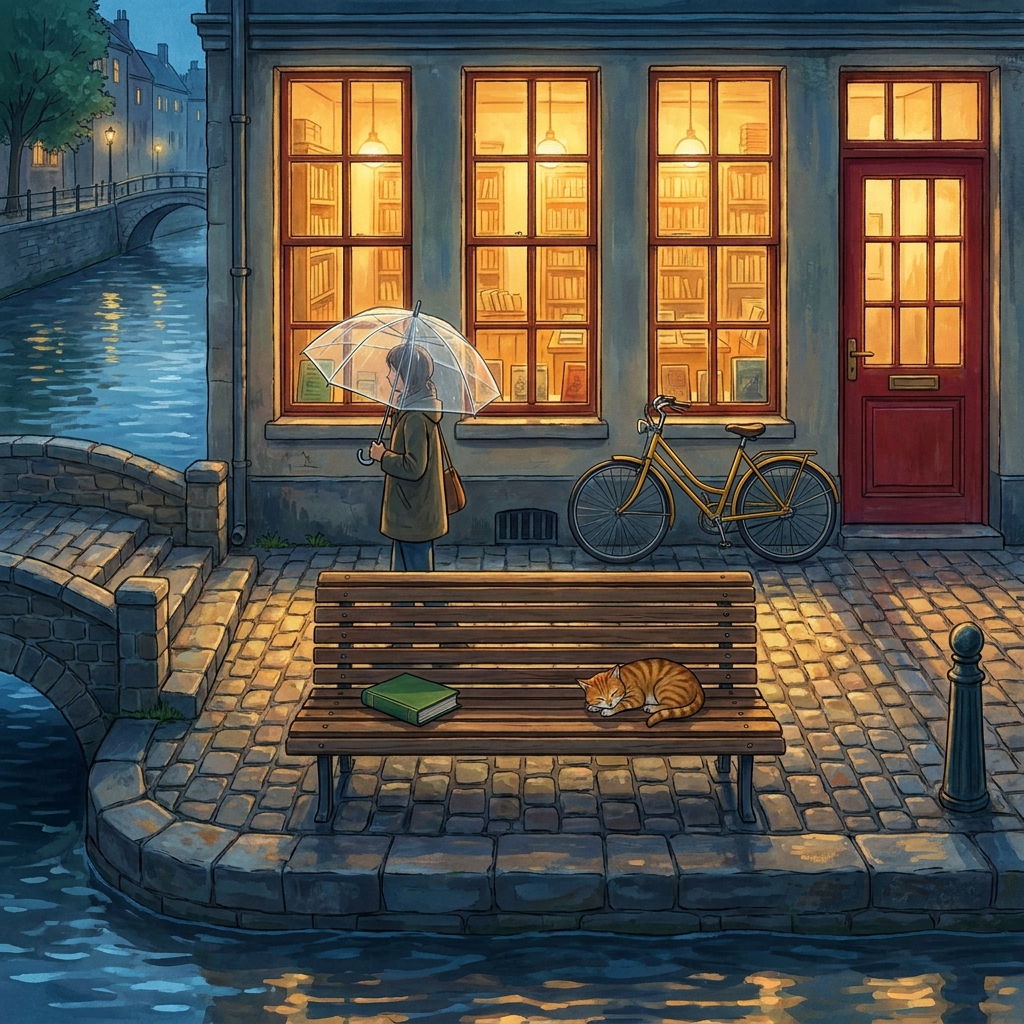
- Both outputs show three tall shop windows and a red door on the right, with a yellow bicycle to its left. Both put a green book on the bench's left side and an orange sleeping cat on its right, with one umbrella-carrying pedestrian between the bench and shop.
- Pro takes a more frontal view with the bench prominently centered. The 2.1 view runs diagonally along the shopfront and wet street. Both include warm window light, blue-hour surroundings, water and a bridge on the left.
Choose Pro's frontal arrangement for a direct view, or 2.1's angled composition for street depth. Neither establishes a general advantage on complex prompts.
Compare Pro and 2.1 with this prompt →Which should you try for your next image?
- For prescribed poster layouts, compare the plant-market outputs: 2.1 follows this footer and pot request more closely. Write positions explicitly and inspect the lettering rather than relying on a model's reputation.
- For product concepts, try either 2.1 or Pro. Both handled materials and props, and both cropped the linen. Request wider framing when a complete silhouette matters.
- For infographics, check every illustrated step. For multi-object scenes, specify a frontal or angled camera view. Nano Banana 2 needs more examples before we can make equivalent task recommendations.
| Task | Models shown | Observed result |
|---|---|---|
| Blue cup: three models, one open-ended prompt | Nano Banana 2.1; Nano Banana 2; Nano Banana Pro | All three produced a blue cup without lettering; glaze, proportions and framing differed. |
| Plant-market poster: readable words, different hierarchy | Nano Banana 2.1; Nano Banana Pro | Both rendered readable wording; 2.1 followed the terracotta pot and footer placement more closely. |
| Product scene: the props are present, the napkin is cropped | Nano Banana 2.1; Nano Banana Pro | Both included the specified mug, limestone, lemon and linen; both cropped the napkin at the right edge. |
| Seed infographic: count the panels, then inspect the roots | Nano Banana 2.1; Nano Banana Pro | Both showed four labels and three arrows; Pro drew prominent branching roots, while 2.1 used a smaller root illustration. |
| Bookshop scene: similar objects, different camera positions | Nano Banana 2.1; Nano Banana Pro | Both included the requested main objects and positions; Pro used a frontal view, while 2.1 used an angled street perspective. |
What these eleven images cannot tell us
These are single outputs, not repeated trials or a leaderboard. Nano Banana 2 appears in one task; 2.1 and Pro appear in five. We did not test references, editing, other sizes or grounding, and cannot infer typical speed or reliability. Successful relay responses do not independently establish upstream model identity. Generation depends on the tool's current availability.