What is Nano Banana Pro vs Nano Banana 2.1?
Nano Banana Pro vs Nano Banana 2.1 compares two distinct Google image models, rather than two names for the same release. Google identifies Pro as Gemini 3 Pro Image and lists Nano Banana 2.1 separately in its current API documentation. Nano Banana 2.1 should also be distinguished from Nano Banana 2: this article uses the dedicated 2.1 documentation for its capabilities.
Nano Banana Pro vs Nano Banana 2.1 differences
The official positioning differs: Pro targets demanding design tasks, while 2.1 emphasizes efficient image creation and iterative editing. Both have documented text and editing capabilities, so a feature label alone cannot predict which output you will prefer. Official resolution, ratio, grounding and editing options describe Google's API; they are not a checklist of controls verified through this workspace's relay. Successful relay responses do not independently establish upstream model identity.
Swipe to read both model columns →
| Comparison | Nano Banana Pro | Nano Banana 2.1 |
|---|---|---|
| Official model | Gemini 3 Pro Image | Gemini Nano Banana 2.1; an update to Nano Banana 2 |
| Visual quality positioning | Google positions it for complex graphic design and product mockups. | Google reports improved realism and prompt adherence over Nano Banana 2. |
| Text in images | Google documents multilingual text, typography and poster workflows. | Google documents improved text rendering and infographic layout accuracy. |
| Editing and consistency | Google documents localized editing and consistency across multiple image inputs. | Google documents conversational editing and improved multi-turn character consistency. |
| Official output resolutions | Google's launch guide documents 2K and 4K output. | 1K, 2K and 4K; default 1K. 512px output is not supported. |
| Official aspect ratios | Multiple ratios; Google's launch examples include 1:1 and 16:9. Complete confirmed list: —. | 1:1, 1:4, 1:8, 2:3, 3:2, 3:4, 4:1, 4:3, 4:5, 5:4, 8:1, 9:16, 16:9 and 21:9. |
| Speed | Google emphasizes reasoning for complex visual tasks. These single-run examples do not establish typical relay speed. | Google describes Flash-level speed and efficiency. These examples do not establish a consistent speed advantage through this relay. |
| Tested in this workspace | Five text-to-image examples returned 1024 × 1024 JPEGs. Generation depends on the tool's current availability. Other sizes and reference-image inputs are unverified. | Five text-to-image examples returned 1024 × 1024 JPEGs. Other sizes and reference-image inputs are unverified. |
| Credits per image here | 30 credits per image | 30 credits per image |
Nano Banana Pro vs Nano Banana 2.1 examples
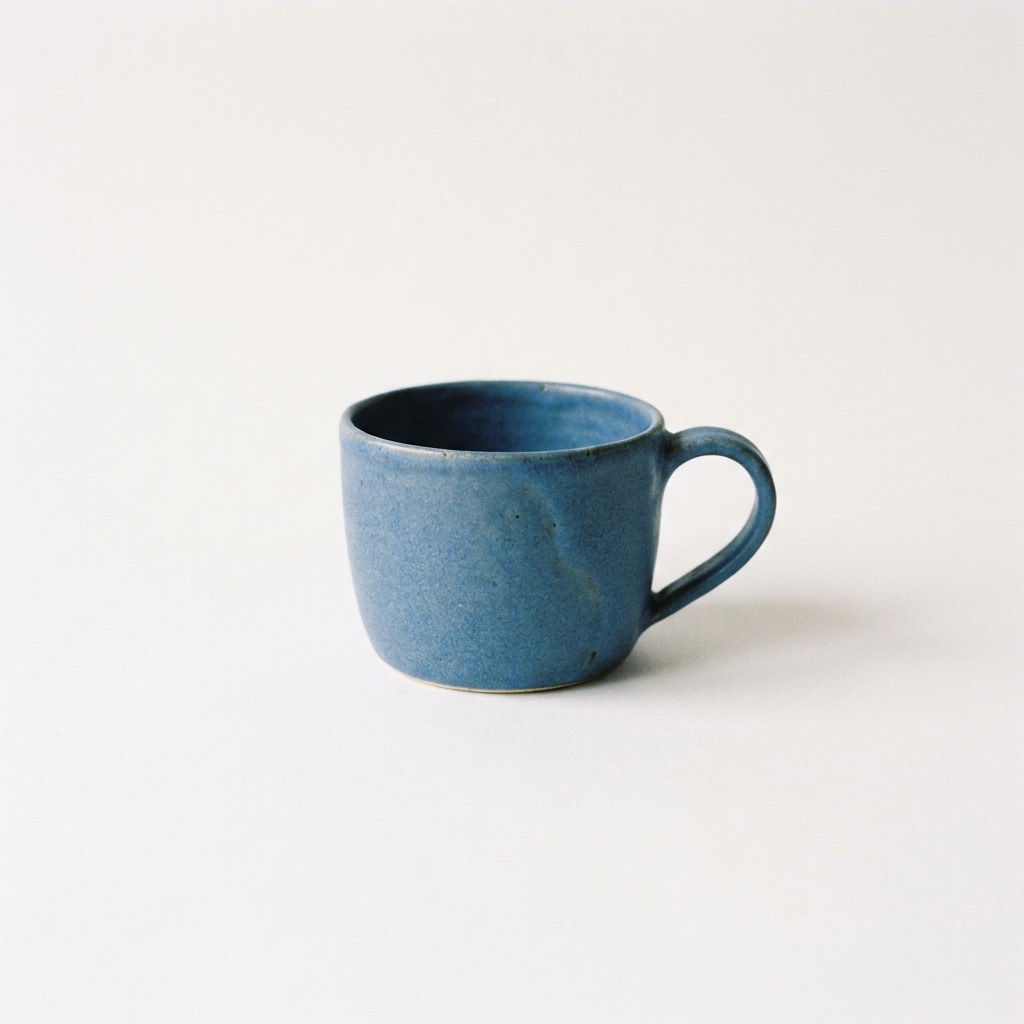
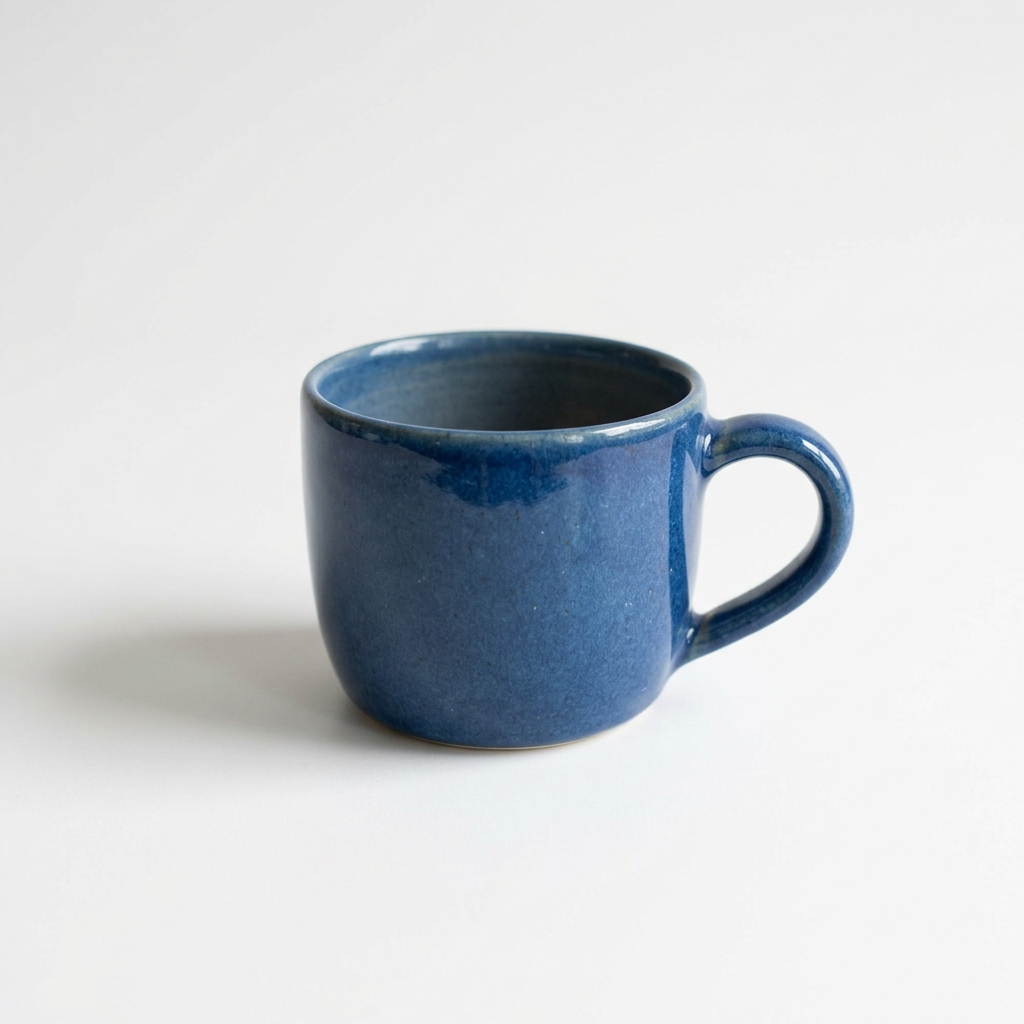
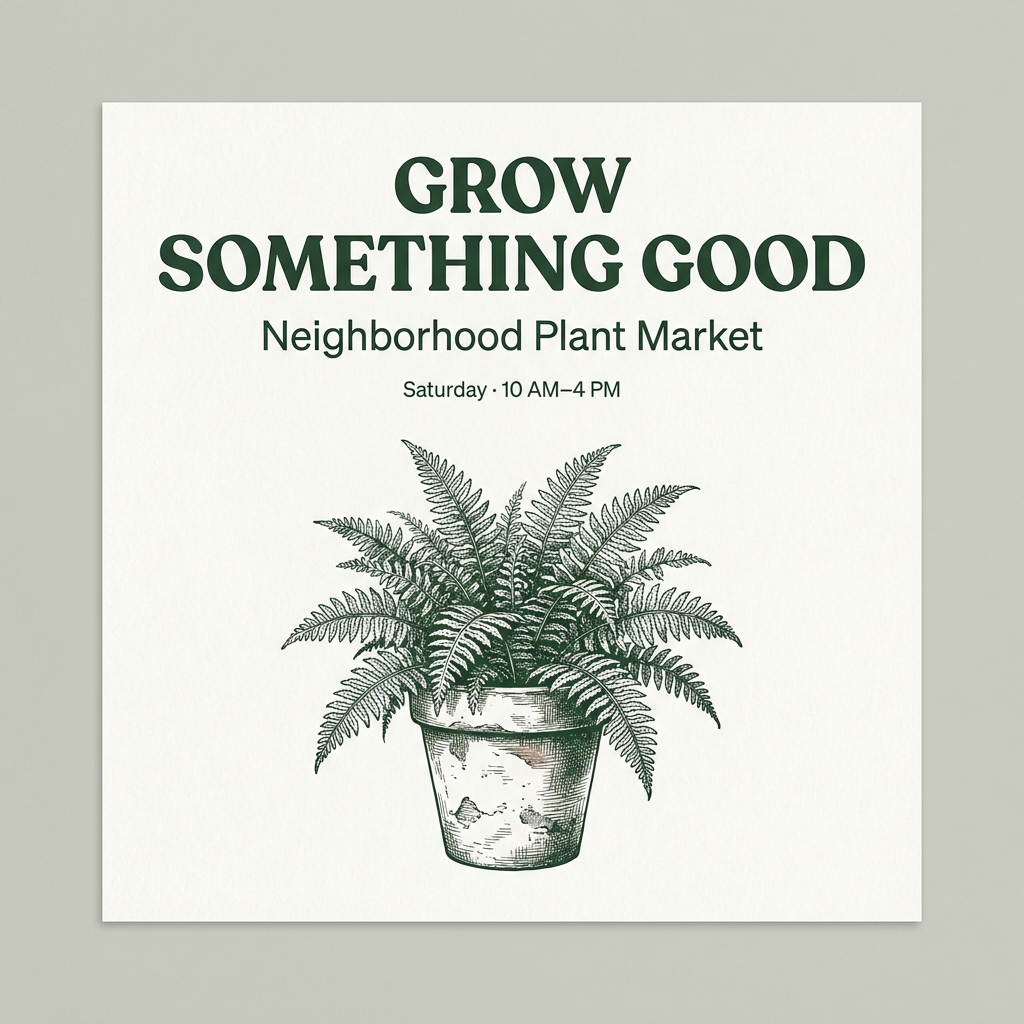
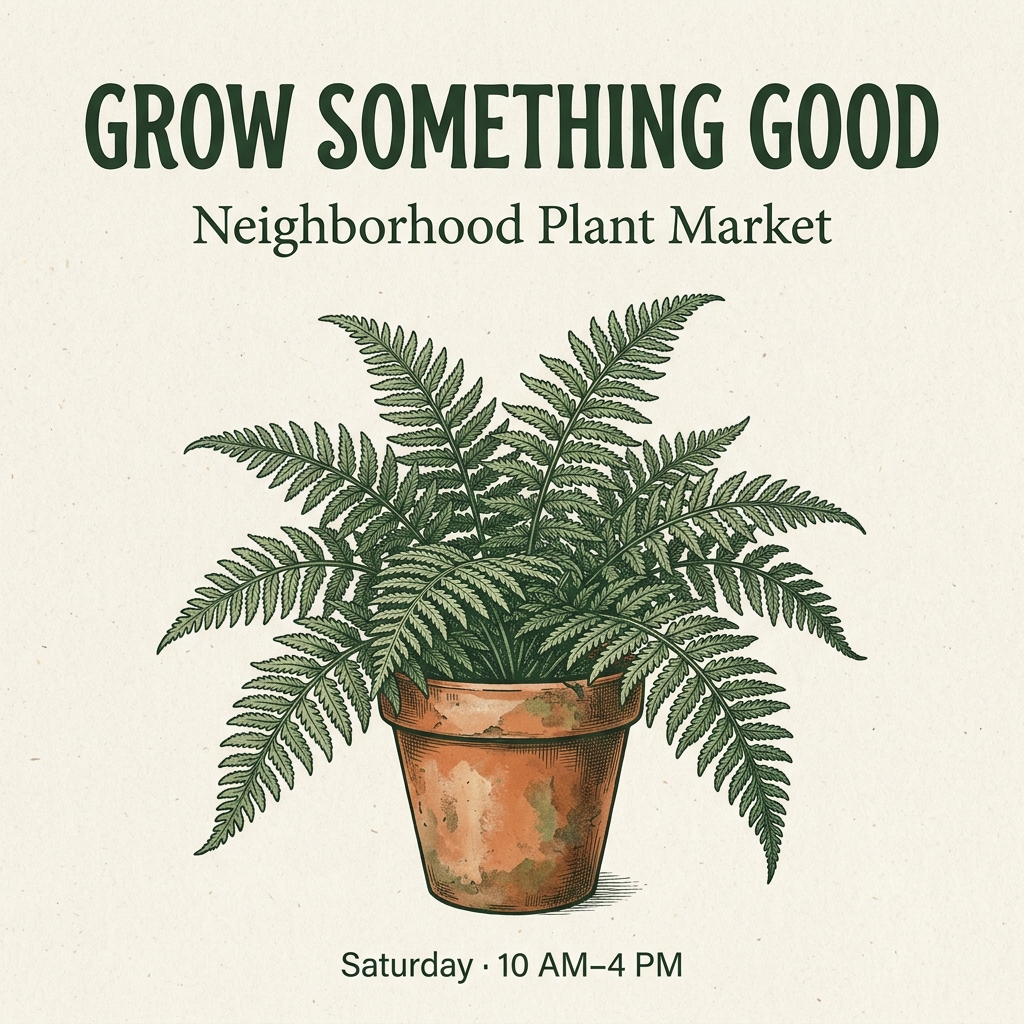
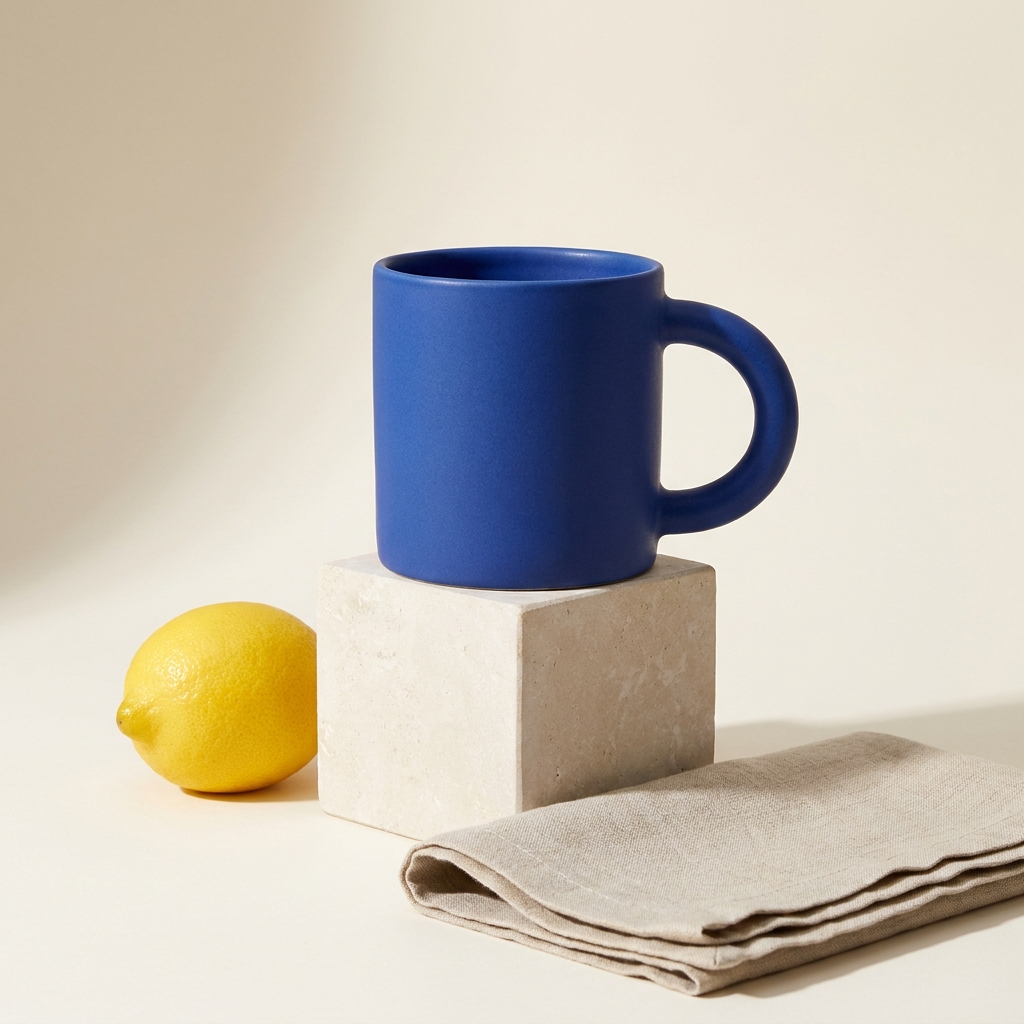
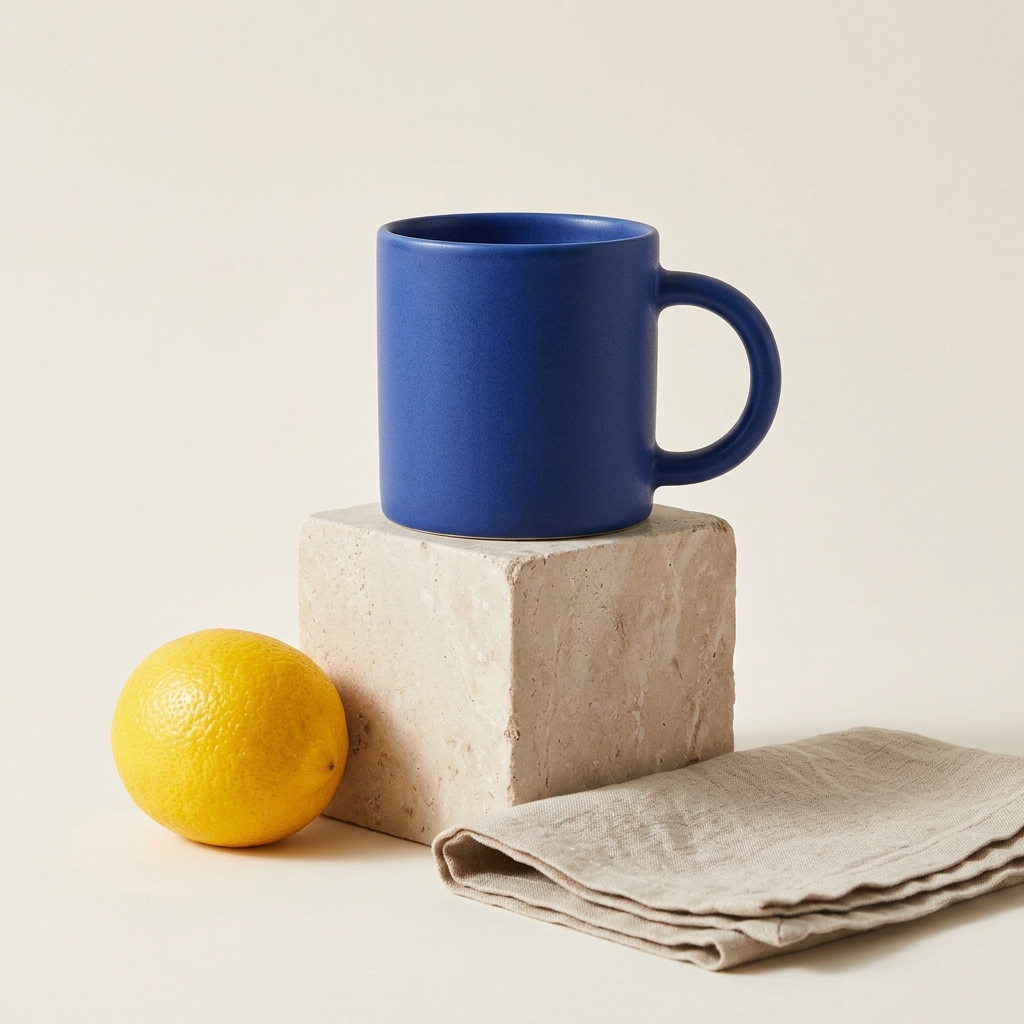
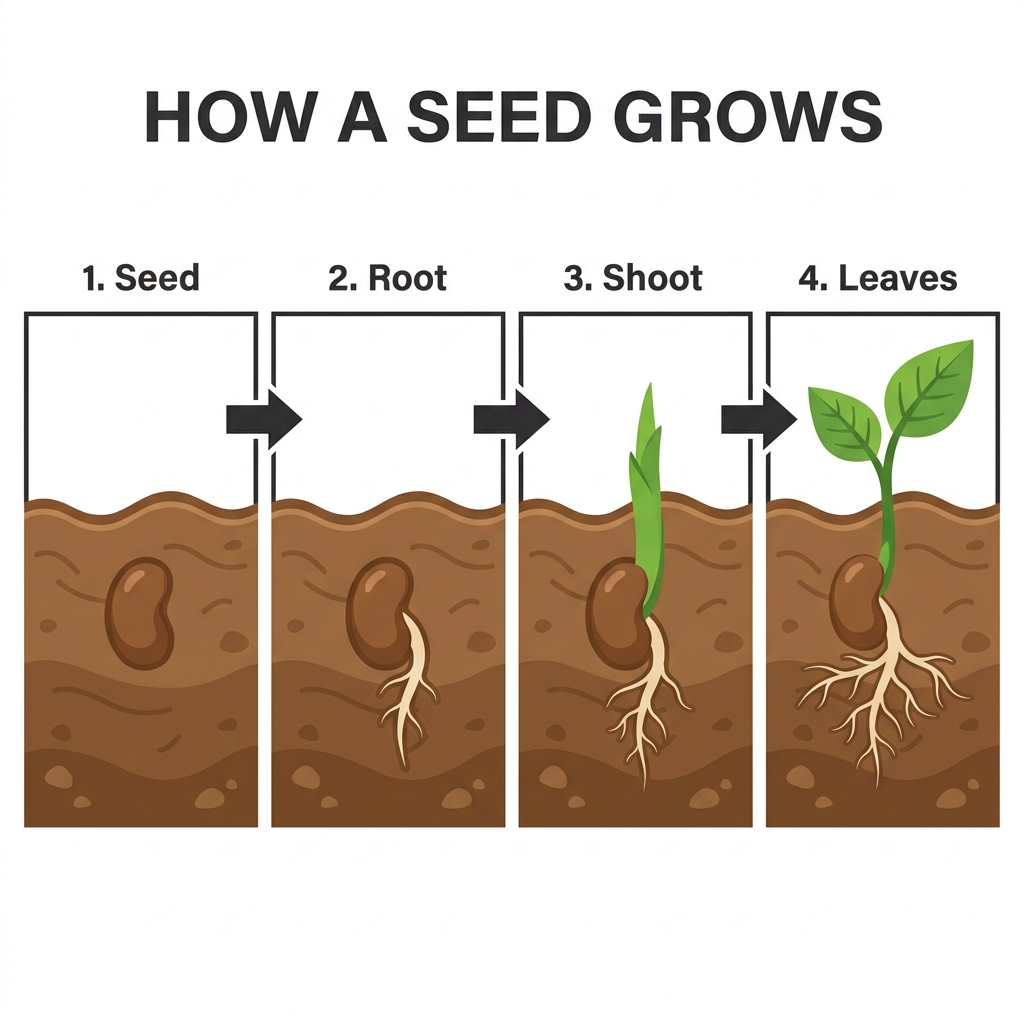
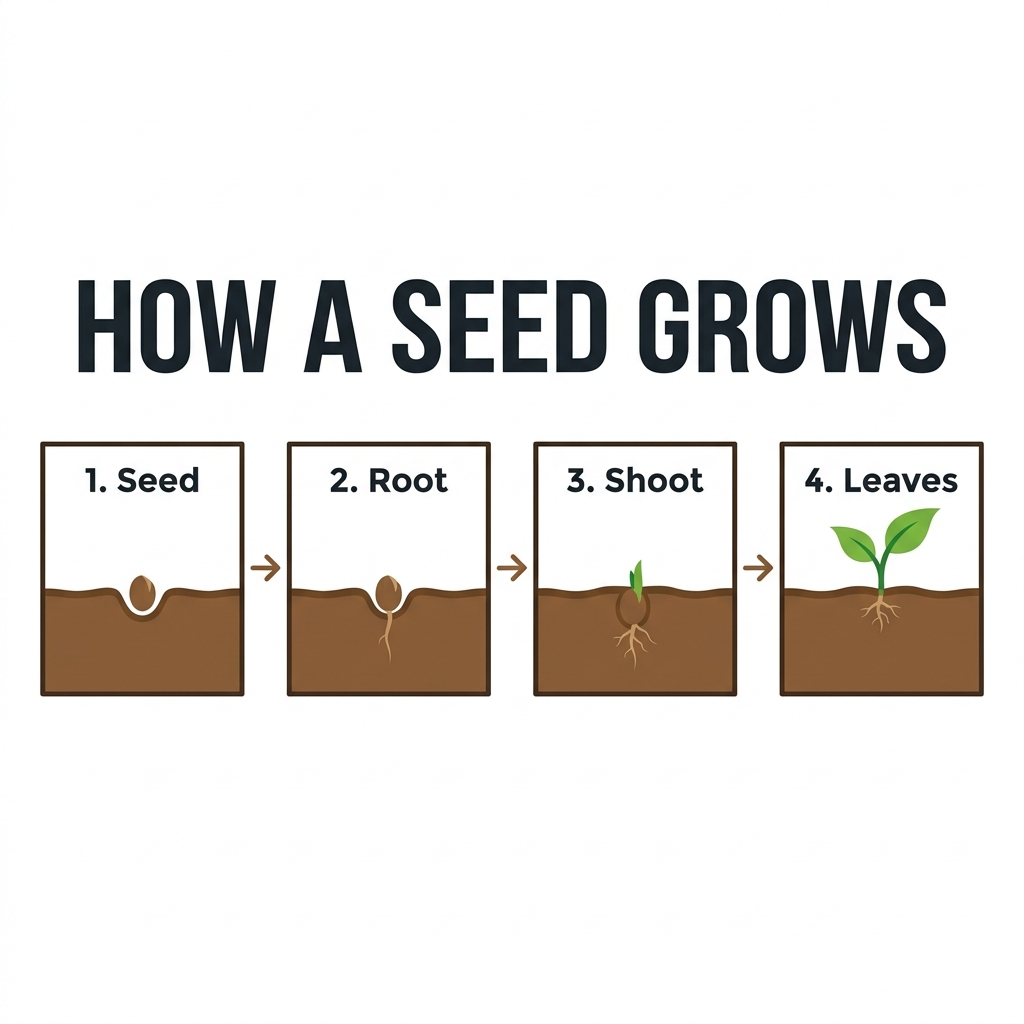
Five published pairs show real outputs from identical complete prompts: a blue ceramic cup, a text poster, a product scene, an infographic and a complex bookshop scene. All ten images are 1024 × 1024 JPEGs generated from text only. Inspect the full-size images against each prompt for spelling, object placement, materials and layout. These single-run examples do not test reference-image editing or establish general quality, reliability or speed; no overall winner is claimed.
Ceramic cup: material and composition
 Download full-size image
 Download full-size image
A simple blue ceramic cup on a plain white background. No text.
Use this prompt in the tool →Poster: exact text and typography
 Download full-size image
 Download full-size image
Create a square editorial poster for an imaginary neighborhood plant market. Use an ivory paper background, dark forest-green typography, and a detailed illustration of a terracotta pot containing a fern in the lower half. Render exactly these three lines of text, with no additional words: "GROW SOMETHING GOOD" as the large centered headline at the top, "Neighborhood Plant Market" as a smaller subheading, and "Saturday · 10 AM–4 PM" as a small footer. Keep generous margins and clear spacing between the text and the fern. All letters must be legible; no logos, watermarks or decorative pseudo-text.
Use this prompt in the tool →Product scene: shape, materials and lighting
 Download full-size image
 Download full-size image
Create a square studio product photograph of one unbranded matte cobalt-blue ceramic mug. The mug has one rounded handle on its right side and sits on a pale limestone cube. Place one whole lemon to the left of the cube and a folded beige linen napkin in front of it. Use a warm off-white seamless background, soft window light from the upper left, a subtle shadow to the lower right, realistic ceramic texture and crisp edges. Show the entire mug and all three props without cropping. No text, logos, people, extra mugs or floating objects.
Use this prompt in the tool →Infographic: labels and visual order
 Download full-size image
 Download full-size image
Create a square flat-vector infographic on a white background titled exactly "HOW A SEED GROWS". Beneath the title, arrange exactly four equally sized panels from left to right, connected by three arrows pointing right. Label the panels exactly "1. Seed", "2. Root", "3. Shoot", and "4. Leaves". Show a seed in brown soil in panel one, a seed with one downward root in panel two, a green shoot emerging above the soil in panel three, and a small plant with two green leaves in panel four. Use a consistent soil line, simple shapes, dark charcoal text and green accents. Include no other words, numbers or panels.
Use this prompt in the tool →Complex scene: counting and spatial relationships
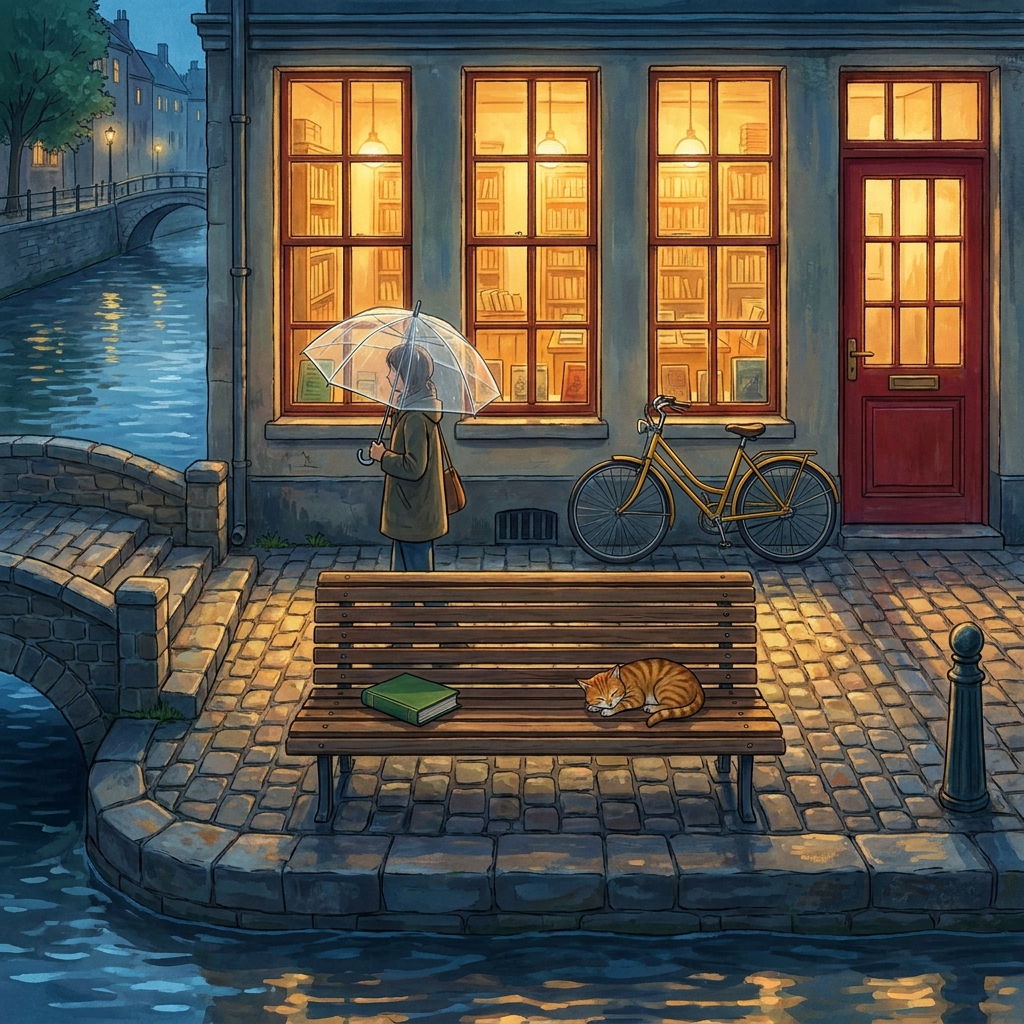 Download full-size image
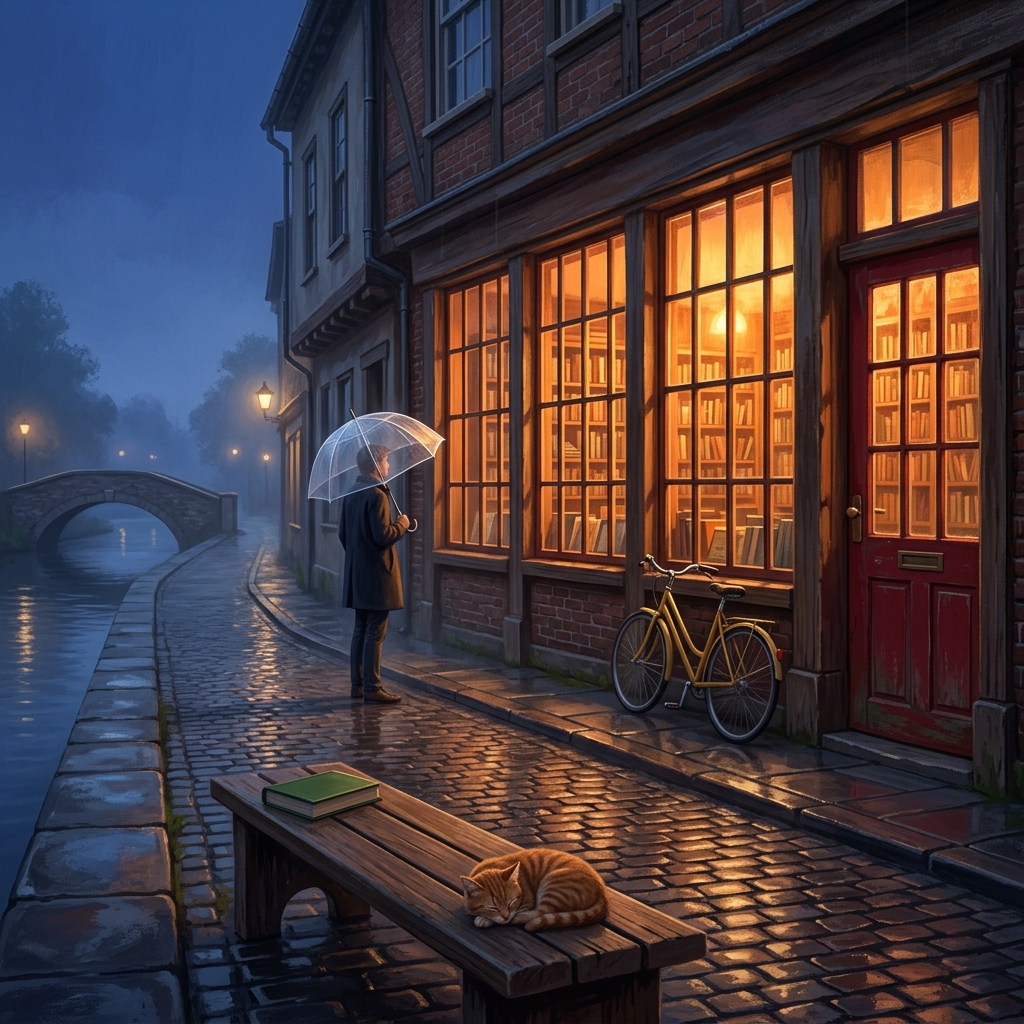 Download full-size image
Create a square cinematic illustration of a quiet riverside bookshop at blue hour, viewed from the opposite side of a narrow street. The shop has exactly three tall front windows and one red door on the far right. A yellow bicycle leans against the wall to the left of the door. In the foreground, place a wooden bench with one closed green book on its left end and one sleeping orange cat on its right end. A single pedestrian carrying a transparent umbrella stands between the bench and the shop. Warm light glows through the windows and reflects on wet cobblestones; the river and a small stone bridge are visible on the far left. Preserve believable perspective and distinct objects. No signs, lettering, logos or additional people.
Use this prompt in the tool →Nano Banana Pro vs Nano Banana 2.1: which to choose?
Choose by the task: shortlist Pro for demanding text layouts, start with an available 2.1 option for early drafts, and compare matched outputs for product images or infographics. The recommendations below explain what to inspect in each case. Check the embedded tool's current availability and credit cost before generating.
Text-heavy posters and layouts
Put Nano Banana Pro on your comparison shortlist for posters with several text blocks or demanding typography: Google's Pro launch guide emphasizes multilingual text and design control. When the tool shows both models as available, compare Pro with 2.1 using the exact wording you need. Choose the output with correct spelling, readable type and the intended hierarchy; the model name alone does not guarantee those results.
Quick visual drafts
Start with an available Nano Banana 2.1 option for early composition and style drafts. Google's 2.1 documentation positions it around efficient generation and editing, making it a practical starting point for exploring an idea. That recommendation follows its official positioning; it does not establish faster response times through this relay.
Product images and infographics
Begin with the product or infographic prompt below, then compare both models when available using identical instructions. For a product image, choose the result that preserves the requested shape, materials and prop placement. For an infographic, choose correct labels, ordered steps and clear visual relationships. Review the supplied facts yourself before publishing either result.
Image generation FAQ
What is the difference between Nano Banana Pro and Nano Banana 2.1?
Google positions Pro for complex professional design and Nano Banana 2.1 for efficient generation and conversational editing. Both have documented text and editing capabilities. This is provider positioning, not proof that one always produces better images through this workspace.
Is Nano Banana 2.1 the same as Nano Banana 2?
No. Google's current documentation lists Nano Banana 2.1 as a distinct update to Nano Banana 2, with improvements to visual quality, text rendering and multi-turn consistency. Capabilities in this comparison come from the dedicated 2.1 documentation.
Can I generate with both models in Opus55Vid?
Both models produced the five published square examples. You can generate with either when the tool shows it as available. Other sizes and reference-image inputs have not been verified here; official feature lists do not establish every feature available in this workspace.
How many credits do these models cost per image?
Nano Banana 2.1: 30 credits per image; Nano Banana Pro: 30 credits per image. Check the selected model's current credit cost before generating. Image and video creation share your Opus55Vid credit balance.
Which model is better for text, product images or infographics?
There is no verified overall winner here. Compare the five published pairs using their complete prompts, checking exact spelling, requested objects and layout. These real text-to-image examples cover a cup, poster, product, infographic and complex scene; they do not test reference-image editing or establish overall performance.
Is Opus55Vid an official Google, OpenAI or Anthropic product?
No. Opus55Vid is an independent product, not affiliated with Google, OpenAI or Anthropic. Nano Banana and GPT Image are trademarks of their respective owners.
Explore models and related tools
- Nano Banana 2.1
- Nano Banana 2
- GPT Image 2
- GPT Image 2.5
- Nano Banana Pro
- Nano Banana Pro vs Nano Banana 2.1
- Nano Banana 2.1 vs GPT Image 2.5
- Pricing
- Make a motion-graphics video
Independent product, not affiliated with Google or OpenAI. Nano Banana and GPT Image are trademarks of their respective owners.